What is Pixel Sorting?
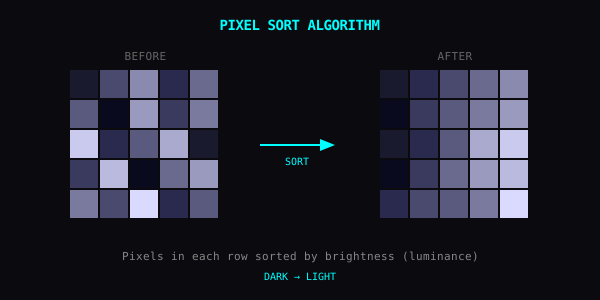
Pixel sorting rearranges pixels based on brightness or color values. The algorithm scans rows (or columns), finds pixels that meet a threshold, and reorders them. The effect: images that look like they're melting.
Getting Started
Thresholds
The threshold sets the trigger point:
Tips
Layer effects. Pixel sort first, then RGB shift.
Use high contrast images. Strong light/dark separation creates more dramatic results.
Direction matters. Vertical feels like rain or dripping. Horizontal feels like wind or speed.
Good Subjects
Go Break Something
Crank the threshold. See what happens.